


TotalAV Antivirus & Security
4.223.03K Reviews
App Specs
- Version
- 3.1.5
- Updated On
- License
- Free
- Downloads
- 10,000,000+
- Developer
- Total Security Limited
- Categories
- Tools
- Platform
- Android, iOS
Screenshots
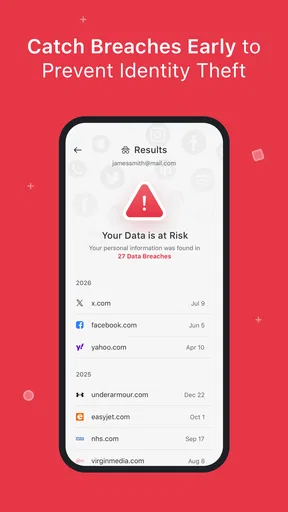
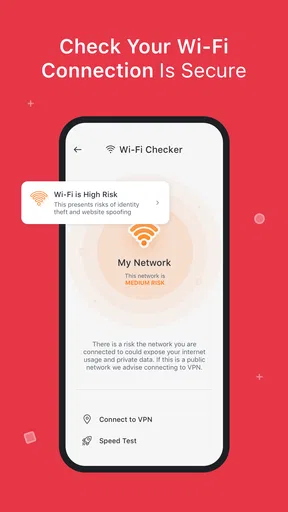
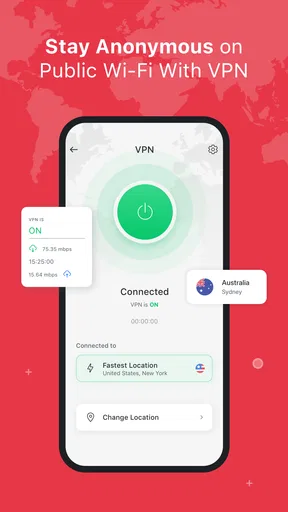
 Analysis by AppCompare
I judge a phone security app less by how impressive it looks on day one than by whether it still earns a place on my home screen weeks later. TotalAV Mobile Security is a free tools app from Protected.net Group Limited T/A Total Security, and its broad mix of security and utility features makes a lively first impression. The practical question is whether those features fit into an ordinary routine, or become another set of prompts to dismiss.
First impressions, then the everyday test
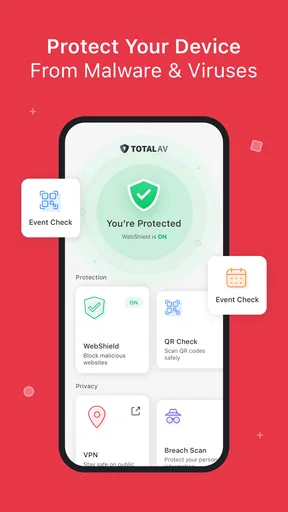
Right off the bat, TotalAV Mobile Security greets you with a clean and intuitive interface. It doesn’t bombard you with unnecessary jargon or needless features. Navigating through the app feels like a breeze, and everything is where you’d expect it to be. The design is sleek, with a color scheme that doesn’t strain your eyes—a big plus if you’re one of those who love to explore settings.
Why the first week feels promising
The app’s appeal is easy to understand if you want several phone-care tasks in one place. Antivirus scanning, a web protection feature, optimization tools, a VPN service and a password vault give you more to explore than a simple scanner. For a less technical user, having those options gathered in a single interface can make security feel manageable rather than like homework.
In its first few days, I’d use the app to establish a baseline: look through its security options, run a scan, and decide which tools actually match my habits. That last step matters. Installing every security utility you can find doesn’t automatically make a phone safer; it can create duplicate tools and extra decisions. I would start with the protections I expect to use regularly, then leave the rest alone until a real need comes up.
Features That Stand Out
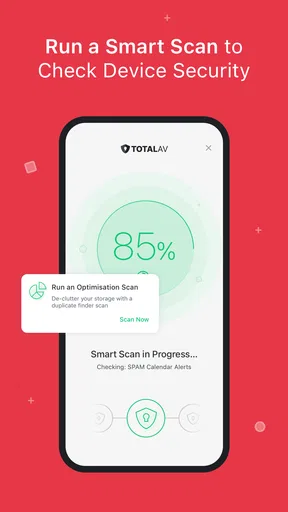
Now, let’s talk features. One thing that caught my attention is the real-time antivirus protection. It scans apps and files in the background, keeping your device safe without slowing it down. You can schedule scans, which is perfect for a hands-off approach.
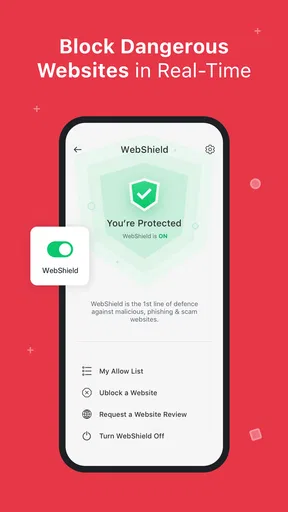
Then there’s the Web Shield. This feature is like having a vigilant guard who keeps phishing scams and dodgy websites at bay. It’s reassuring to know that you can surf the internet without constantly looking over your shoulder.
Another feature worth mentioning is the device optimization tool. With just a few taps, you can clear out junk files and boost your phone’s performance. It’s like giving your phone a quick tune-up, and who doesn’t love a snappy device?
Worth Reading Before You Choose

EA SPORTS FC Mobile 26 Is a Bigger Football Game, but It Takes Time

Flipboard Shows What News Apps Must Do Beyond the Feed

Switching to Android Auto Means Rethinking Your Driving Routine

Google Calendar Makes a Crowded Week Easier to Manage

Ludo King Makes the Most of the Minutes Between Plans

Baby Panda World Brings Quick Play to Modern Phones, but Its Game Library Feels Busy
Putting the tools to work in a real routine
Imagine I’m heading out for the day, using my phone to check messages, look up directions, and open a link someone sent me. The web protection is the feature I’d most want to have ready before that routine begins, because it speaks to a familiar risk: an unfamiliar page that looks convincing enough to tap. I’d still pause before entering personal details or passwords. A warning tool can support careful browsing, but it shouldn’t replace it.
The optimizer is better treated as an occasional housekeeping tool than a button to press whenever the phone feels slow. Before clearing anything, I’d check what the app proposes to remove and whether I still need those files. A cleaner can be convenient, but deleting items without looking is a poor maintenance habit. If performance remains sluggish after a tidy-up, I’d investigate storage, recently installed apps, or the phone’s own settings instead of repeatedly running the same cleanup.
Security and Privacy
Security is the name of the game here. The app offers a VPN service, which is a must-have in today’s world. It masks your online activity, making it hard for prying eyes to track you. It’s especially handy when you’re using public Wi-Fi networks.
TotalAV also features a password vault. It’s a secure place to store all those passwords we can never seem to remember. A lifesaver for someone like me who’s constantly hitting the "forgot password" button!
Choosing which protections deserve a habit
These privacy tools serve different purposes, so I wouldn’t turn them on blindly just because they sit beside antivirus. A VPN is most relevant when I’m connecting through a network I don’t trust; it is not a substitute for choosing reputable sites or protecting account logins. Likewise, a password vault is useful only if I’m prepared to make it part of my sign-in routine. Moving a handful of passwords into a vault but continuing to reuse old ones elsewhere would leave the habit half-finished.
That’s also where TotalAV differs from the usual alternatives. A phone’s built-in security and settings can cover basic device management without adding another app, while a dedicated password manager or VPN may suit someone who wants to focus on just one job. TotalAV’s attraction is the convenience of a broader toolkit; the trade-off is that you need to decide which parts you trust and will maintain. If you already have preferred tools for those tasks, the overlap may make this app less compelling.
Performance and Usability
In terms of performance, TotalAV Mobile Security runs smoothly without hogging resources. It doesn’t drain the battery, which is a huge relief since some security apps can be notorious power hogs. I found it to be reliable, with no crashes or glitches during my time with it.
The usability factor is high. Even if you’re not tech-savvy, setting up and using the app is straightforward. Helpful prompts guide you through the initial setup, so you won’t feel lost at sea.
What changes after the novelty fades
After the initial setup, the useful question is not how many times I can open the app, but whether it supports a sustainable routine. I’d keep scheduled scans sensible, check alerts when they appear, and revisit the tools only when my needs change. The app’s current version is 3.1.0 and it requires Android 6.0 or later, so compatibility is worth checking before building it into a phone routine.
Maintenance can become its own burden if every scan, cleanup, or security prompt turns into a task to manage. I would avoid treating an optimization result as a score I need to chase. Repeated cleaning can feel productive without addressing what is actually slowing a device down. A light routine—review a warning, scan when appropriate, and clean only after checking what will be removed—is more useful than constant tinkering.
Customer Support and Pricing
Now, let’s talk about customer support. The app provides a comprehensive help section with FAQs, tutorials, and a support contact if you need to reach out. The responsiveness is pretty good, though I would have loved a live chat option.
As for pricing, TotalAV Mobile Security offers a free version with basic features, but if you want the full suite, you’ll need a subscription. The pricing is competitive, especially considering the range of features on offer. It’s worth it if you’re serious about security.
What to consider before committing
The app is free to install, but it also offers in-app purchases ranging from $4.99 to $59.99 per item. I’d look closely at what a paid option includes and whether I would use those specific tools before spending anything. A wide feature set can sound like good value, yet paying for functions that duplicate services I already use is not a saving. If I only want occasional basic scanning, I’d first see whether the free experience meets that narrower need.
Its audience is broad: it has an Everyone age rating, an average rating of 4.2 from around 159,000 ratings, and over 10 million installs. Those figures suggest many people have tried it, but they don’t tell me whether its mix of tools suits my own phone habits. I’d treat them as context, not a reason to install it without checking compatibility, cost, and overlap with other apps.
Final Thoughts
To wrap it up, TotalAV Mobile Security is a solid choice if you’re looking to safeguard your phone. It combines ease of use with powerful features, ensuring you’re protected without being bogged down by complexity. It’s like having a personal security guard in your pocket, always on the watch.
Whether you’re a casual user or a security enthusiast, this app has something to offer. And hey, peace of mind in the digital age is priceless, right? Give it a whirl and see for yourself!
For me, its long-term value comes down to restraint: use the protections that fit your real routine, and don’t let the extra utilities become chores. Someone who wants a single place to explore mobile security and related tools may appreciate that breadth. Someone who already relies on separate, trusted services—or prefers to keep their phone setup minimal—may be happier sticking with those. The app earns lasting space when its features reduce friction, not simply because they are available.
Pros
- User-friendly interface for easy navigation.
- Real-time protection against malware threats.
- Includes a VPN for secure browsing.
- Enhances device performance and speed.
- Comprehensive system cleanup tools.
Cons
- Free version has limited features.
- Can be heavy on battery usage.
- Occasional false positive alerts.
- Premium version can be pricey.
- VPN speed can be inconsistent.
FAQs for TotalAV Antivirus & Security
What features does TotalAV Mobile Security offer?
TotalAV Mobile Security provides a comprehensive suite of security tools to protect your mobile device. It includes real-time antivirus protection, a VPN for secure browsing, system optimization tools, and anti-theft features. Additionally, it offers web protection to block malicious websites and phishing attempts, ensuring a safer online experience.
Is TotalAV Mobile Security compatible with both Android and iOS devices?
Yes, TotalAV Mobile Security is designed to work seamlessly on both Android and iOS platforms. It offers specific features tailored to each operating system, ensuring optimal performance and protection. Users can download the app from the Google Play Store for Android devices or the Apple App Store for iOS devices.
How does TotalAV Mobile Security protect against malware and viruses?
TotalAV Mobile Security uses advanced antivirus technology to scan for and remove malware, viruses, and other malicious threats. The app continuously updates its virus database to ensure it can detect the latest threats. It also offers real-time protection, scanning apps and files as they are downloaded or accessed.
Does TotalAV Mobile Security have a free version, and what are the limitations?
TotalAV Mobile Security offers a free version with basic security features, such as virus scanning and some system optimization tools. However, advanced features like the VPN, real-time protection, and web security are typically available only in the premium version, which requires a subscription.
How user-friendly is the TotalAV Mobile Security app?
TotalAV Mobile Security is designed with user-friendliness in mind, featuring an intuitive interface that makes it easy to navigate and access its features. The app provides clear instructions and helpful tips, making it suitable for users of all technical skill levels. Additionally, customer support is available for further assistance.


